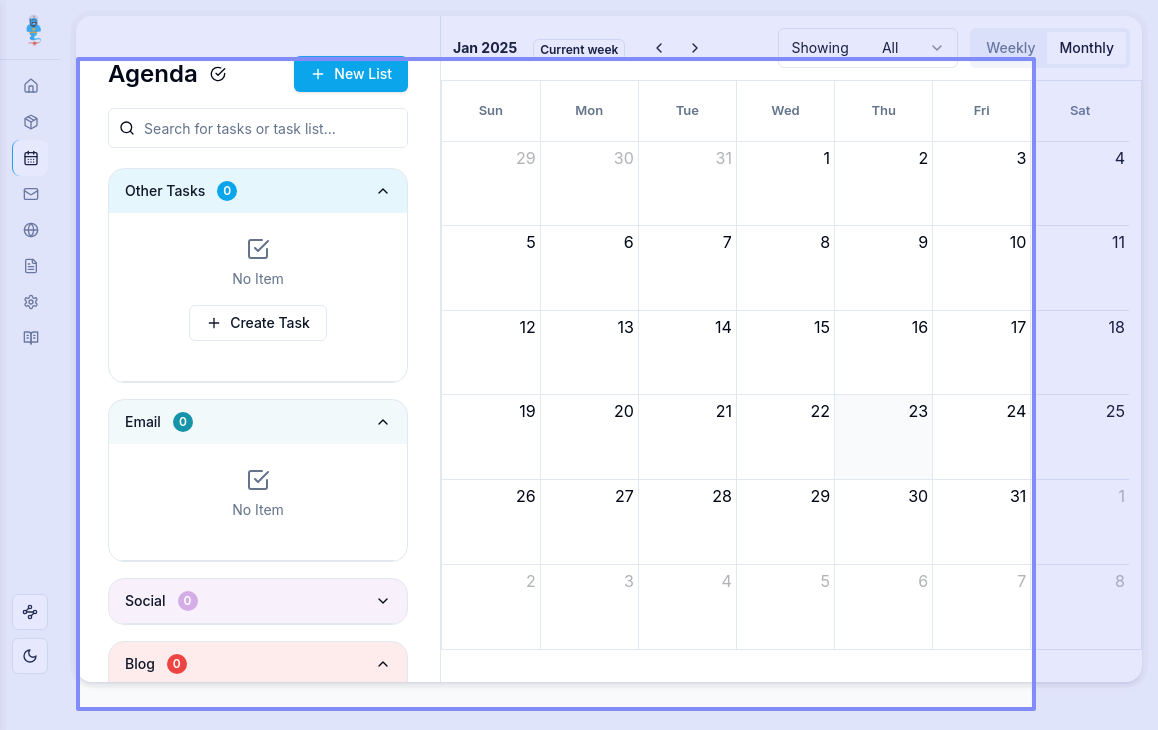
When you open the Agenda tab, there is an icon on top left (tick mark) right next to the page title "Agenda".
If you click on the icon, you will be able to see your previously checked items.
If you're trying to add an agenda item back to your calendar, please go to the specific agenda item in MAGgie and untick the checkbox in front of it. This should allow it to reflect on your calendar again.
I have also sent you a separate email with screenshots. Thanks!
Log in to comment and vote
Comments2
Richa Panthi
Jan 24, 2025
When you open the Agenda tab, there is an icon on top left (tick mark) right next to the page title "Agenda".
If you click on the icon, you will be able to see your previously checked items.
If you're trying to add an agenda item back to your calendar, please go to the specific agenda item in MAGgie and untick the checkbox in front of it. This should allow it to reflect on your calendar again.
I have also sent you a separate email with screenshots. Thanks!
OutsideAgents
Jan 24, 2025
@Richa to get back