Social Accounts Not Connecting
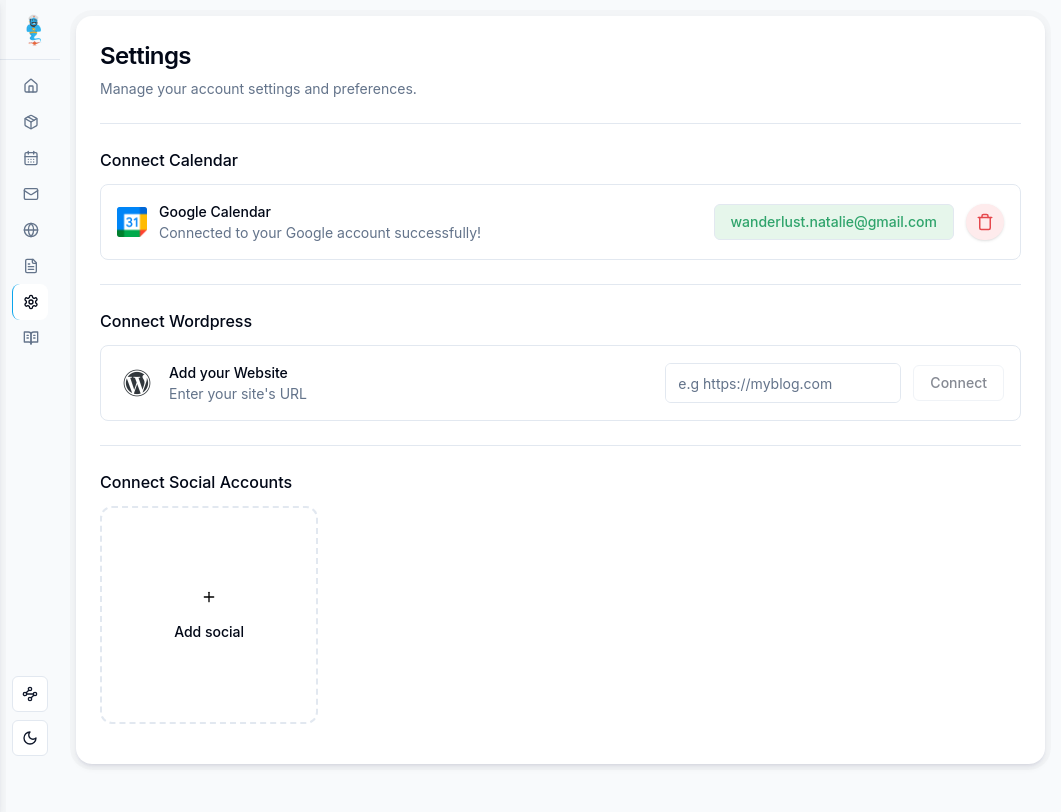
I’ve added my Facebook and Instagram accounts and it says they’ve successfully been added, but then they do not show up on the main screen afterwards. The same is also happening with my website. It takes me to my website but doesn’t connect it to MAGgie.
Log in to comment and vote
Comments2
Richa Panthi
Jan 27, 2025
Hi @wanderlust.natalie,
Part 1/2
For social media connection, I encourage you to raise a MAGsos ticket and share a screen-recording of the same with the ticket. It will help our team to better understand the issue and we will be able to assist you better.
Richa Panthi
Jan 27, 2025
Hi @wanderlust.natalie, thank you for reaching out.
Part 2/2
To connect your MySite (WordPress) to MAGgie, it is essential that you are already logged into your MySite account before attempting the connection process.
If you're not logged in to MySite prior to starting the connection, in your first attempt the system will log you in and redirect you to the MySite dashboard (as you’ve described). However, if you repeat the connection process while logged in, the authorization page should appear. Once you authorize the connection, your MySite will successfully link to MAGgie.
Please give it another try and let us know if you encounter any further issues!